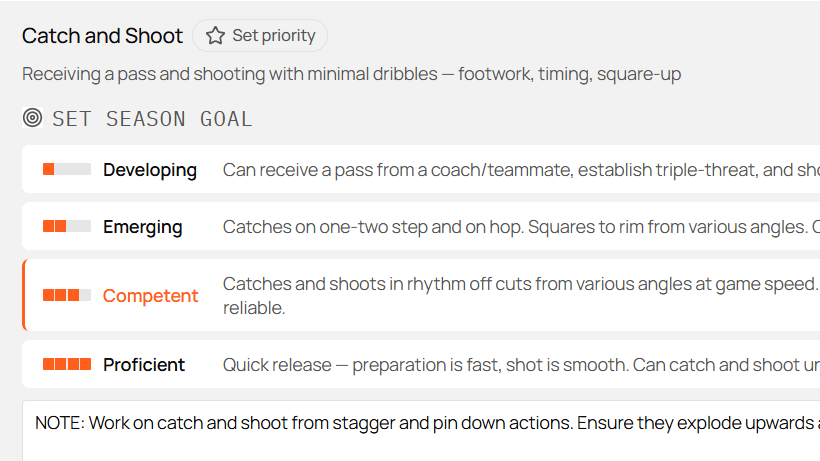
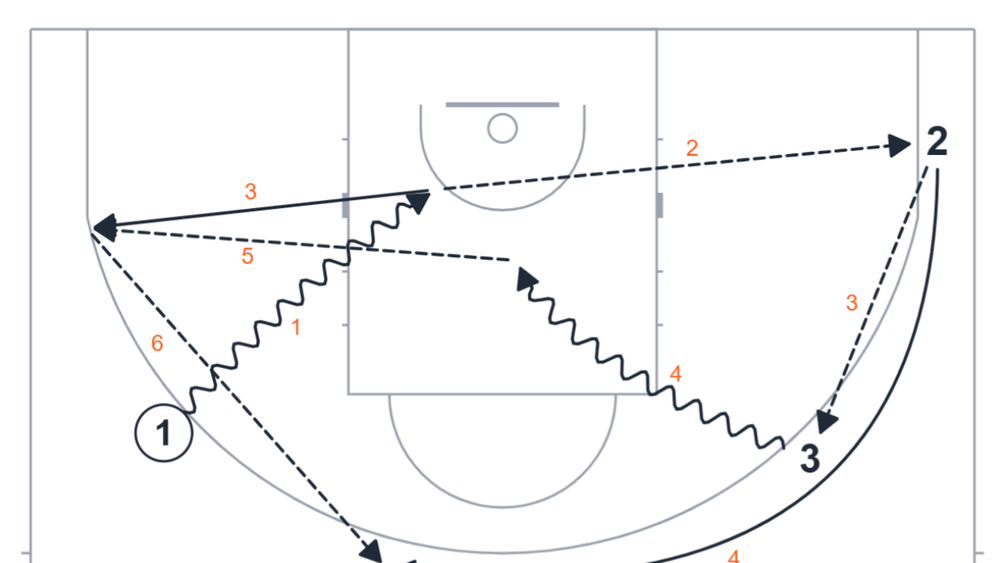
A good practice plan starts with a clear outcome, which then gets realized as a list of drills.
Relyx lets you build the session by hand, ask Smart Plan for a first draft, or do both. Either way it takes minutes rather than an evening, and the practice stays attached to the season plan instead of sitting in a folder on its own. The coaching decisions stay yours.
Start with the outcome
Before you open the drill picker, finish this sentence:
By the end of practice, players should be better able to…
“Work on shooting” is hard to plan. “Create separation on a pin-down and arrive ready to shoot” gives you a standard to judge every drill against.
A useful practice focus is specific enough to guide drill selection, appropriate for the players’ current level, and connected to the current cycle when possible.
1. Create the practice
Open Practices and choose New Practice. Relyx creates a draft and opens the editor.
If you start from the week calendar on the home screen instead, by clicking the + on a day, the season, cycle, and date arrive already filled in. That is usually the faster route once the season is running.
Give it a title that will still make sense in the season history:
- Closeout decisions: drive or shoot
- Off-ball screens: pin-down reads
- Transition defense: protect the paint first
Then set the metadata:
- Status: leave it Draft while planning, switch to Final when it’s ready.
- Season: where the practice belongs.
- Cycle: the current training block.
- Date: when it’s scheduled.
- Duration: the total time you actually have.
Changes in the editor save automatically.
2. Choose target skills
Under Skills to train, add the small number of skills that define this session.
If the practice belongs to a cycle, Suggest from cycle fills in that cycle’s focus skills. Take those, strip out anything that doesn’t belong in this particular session, and add anything you really want to cover today even if the cycle doesn’t call for it.
Target skills do three jobs: they keep the practice’s purpose visible, they surface relevant drills in the picker, and they give Smart Plan a clearer brief.
Don’t add a skill just because one drill happens to touch it. Targets describe the main intended learning, not the full inventory of what players will do.
Build manually
Choose Add Drill to open the picker. It covers Relyx drills, your own drills, drills shared by your Relyx Club when you have one, plus filters for search, skill, age, player count, type, and favorites.
Pick drills that create a progression rather than a collection of good activities. The best practices build from simple to game-like:
- Warm-up. Purposeful, and pointed at what follows.
- Skill development. The technique or concept connected to your practice goal.
- Small-sided games. 1v1, 2v2, or 3v3, where players apply what they just learned against real defenders and have to make decisions.
- Team concepts. The same idea inside how the team actually plays.
- Scrimmage. Everything together, 5v5.
Not every section belongs in every practice, and you’ll adapt on the night anyway. Treat this as the default shape rather than a form to fill in.
Create a drill on the spot
If the drill you want isn’t in the library, make it now rather than settling for a near-match. A name, a duration, and the skills it develops are enough to get it into the practice, and you can fill in instructions and a diagram later.
Every drill you add is one you never have to write again. Building a drill library you’ll actually reuse covers keeping it findable once it grows.
Add activities
Use Add Activity for blocks that don’t need a stored drill: a team meeting, a water break, film, free throws, a walkthrough. Give it a title and a duration just like a drill.
Reorder and adjust time
Drag blocks into the order you want. Edit each duration and watch the total against the planned session length.
Almost everyone underestimates how long things take. A drill you have in your head as five minutes is usually eight once you have explained it, split the groups, and run enough repetitions to matter. Plan with that in mind, and when time gets tight, protect the parts closest to the outcome. Cutting one redundant block is better than rushing every block.
Build with Smart Plan
Smart Plan is the AI planner built into the practice editor. Give it what you already know about the session and it drafts a complete, drill-by-drill practice in about a minute, drawn from the Relyx library, your own drills, and your club’s.
Choose Smart Plan in the drill section. It selects and sequences drills from the practice duration, your target skills, the age range, and recent drill use when Prefer variety is on. With no target skills set it draws from the current cycle’s focus, and with neither available it builds a broader mix across a few skill areas.
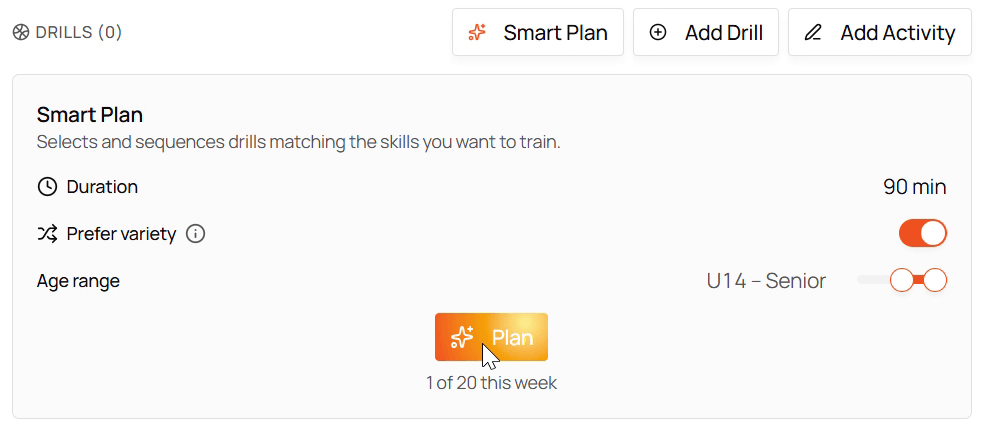
The panel is short on purpose. Duration comes from the practice, the skills come from Skills to train above it, and the only two decisions left are the age range and whether to prefer drills you haven’t used lately. The counter underneath tracks how many generations you have left this week.
Choose Plan and the full session is built in less than a minute.
Keep part of your own plan
Smart Plan doesn’t have to start from an empty practice.
Add the blocks you already know you want, then generate. Those blocks stay in the practice, and Smart Plan builds the rest of the session around them, resequencing where that makes a better progression.
That’s often the strongest workflow:
- Put in the non-negotiable. Thirty minutes of next-game preparation at the end, say, or a specific drill sequence you want in the middle.
- Set the focus and duration.
- Let Smart Plan propose the rest.
- Replace, reorder, or edit whatever needs it.
Review and fine-tune
However you built it, read the session back before you call it done.
Anything Smart Plan added carries a Smart badge in the drill list, so you can see at a glance which blocks you chose and which were proposed for you. Each block also shows its phase and duration, which makes the shape of the session readable without opening anything: a column of Warm-Up, Skill, Small-Sided, Scrimmage is the progression you were after.
Four questions, and the fix for each.
Does every block support the outcome?
A drill can match a skill tag and still be wrong for today. Cut anything that doesn’t earn its time, and swap in a drill the team already knows where that will make delivery cleaner. Open a drill to read its instructions, coaching points, diagrams, and variations before you rely on it, the same detail you get on any drill in the Relyx drill library.
Does the sequence progress?
Look for movement from clarity toward pressure and decision-making. Several drills that repeat the same demand without raising the difficulty aren’t a progression. Drag blocks into a better order rather than replacing them; often the drills are right and the sequence isn’t.
Are too many players standing?
This is about the shape of the whole session, not any one drill. A queuing drill is fine on its own; three in a row is a practice where most of the team spent the evening watching. Check attendance, baskets, and court space against the player counts, and use a drill’s variations to adapt it rather than cutting it.
Does the timing add up?
Leave room for transitions, explanations, and water. A 90-minute plan containing 90 minutes of activity runs late. Adjust individual durations until the gap between the drill total and the session length is deliberate. If you want a paper version of this, the free practice plan template lays out the same timings for a 60- and a 90-minute session.
Then make it yours
Add practice notes for what you’re watching for, and per-drill notes for a cue or a constraint that only applies today. Add a short activity for anything specific to this group. Those notes travel with the plan when you run it courtside, which is where you’ll actually want them.
Mark it ready
When the plan is done, change its status from Draft to Final.
Final doesn’t mean frozen. It means this is the version you intend to use and want to recognize later in the season history.
If you built something worth repeating beyond this season, move it into a practice template. Templates are useful for recurring session structures, testing days, pre-game routines, or themes you adapt across teams.